The Stratusphere API is self-documenting with examples. Since the API’s first release, it has been evolving rapidly due to additional enhancements and requests. Liquidware recommends that you check the online documentation regularly for changes and new features. You can access the API in a browser by linking to your Stratusphere server with the following URL:
https://[HUB IP or DNS]/lwl/api
For example, if your Hub IP is 10.10.10.10, the API main screen URL would be:
https://10.10.10.10/lwl/api
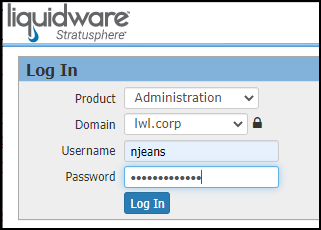
If authorization is required, you will need to enter your Stratusphere Username and Password. The API Username is a combination of your Username and Domain from the Stratusphere Hub login page in the following format: username@domain. For example, the correct username for the API Builder would be njeans@lwl.corp based on the Username entered in the Stratusphere Hub login screen shown below.
If your IP Address is configured to allow you access to the API without requiring user and password authentication, you will be directed to the API main screen shown below.
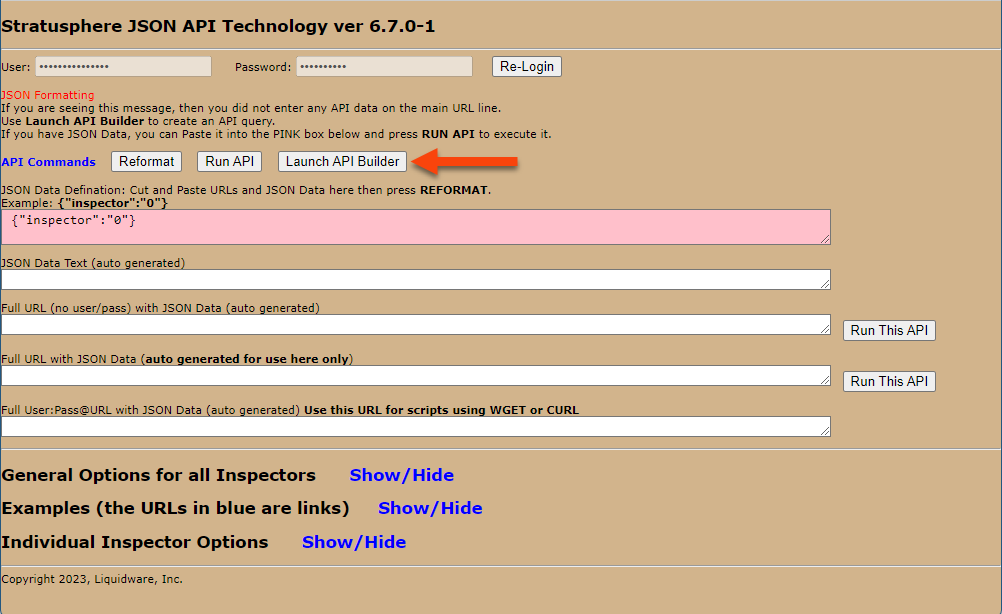
The API main screen contains online documentation organized into three sections:
- General options
- Examples
- Individual Inspector options
You can open each section by clicking the Show/Hide link to the right of the name.
Important: Liquidware strongly recommends that users read all sections of the documentation thoroughly, especially the first two, to avoid a lot of time wasted later.