A graphical tool was added to the Stratusphere API called the Stratusphere API Builder. This tool allows you to quickly build JSON queries or API URLs by making point and click selections in the graphical user interface. API Builder 2.0 was released as the default API Builder in Stratusphere 6.5.0.
The default API Builder prior to Stratusphere 6.5.0 was Stratusphere API Builder 1.0. If you are running an older version of Stratusphere that uses API Builder 1.0, refer to the next section for more information about it.
To get to the API Builder, click the Launch API Builder button on the Stratusphere API main screen.
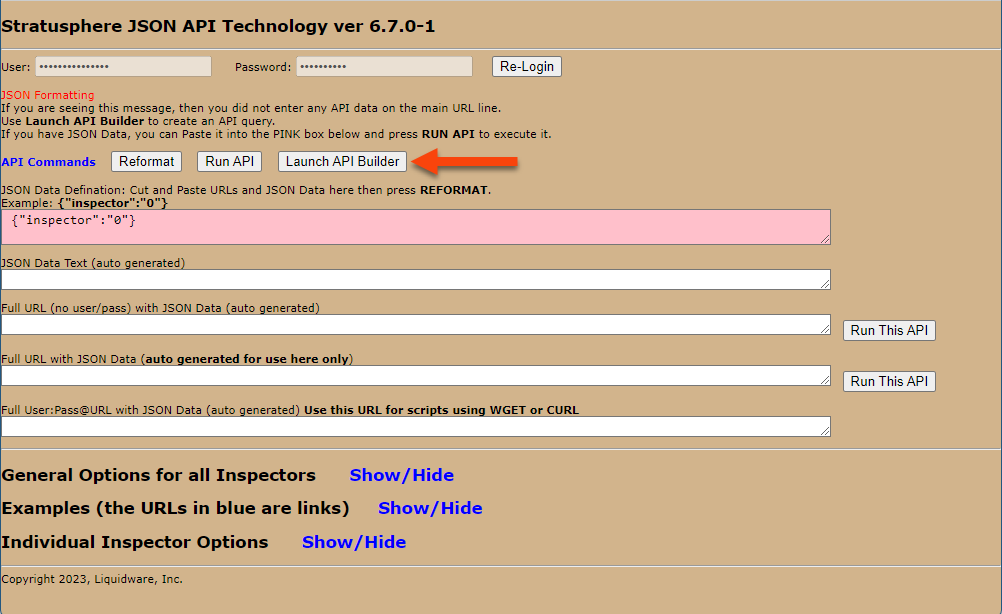
You can also access the API Builder using the following URL:
https://[HUB IP or DNS]/apibuilder
or by selecting the API Builder product on the Stratusphere Hub login page.
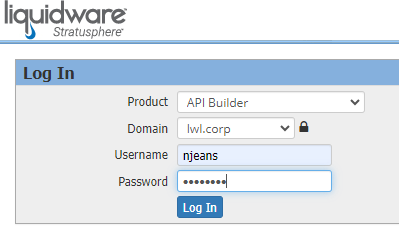
Log in using your Stratusphere Username and Password. The API Builder Username is a combination of your Username and Domain from the Stratusphere Hub login page in the following format: username@domain. For example, the correct username for the API Builder would be njeans@lwl.corp based on the Stratusphere Hub login screen shown above.
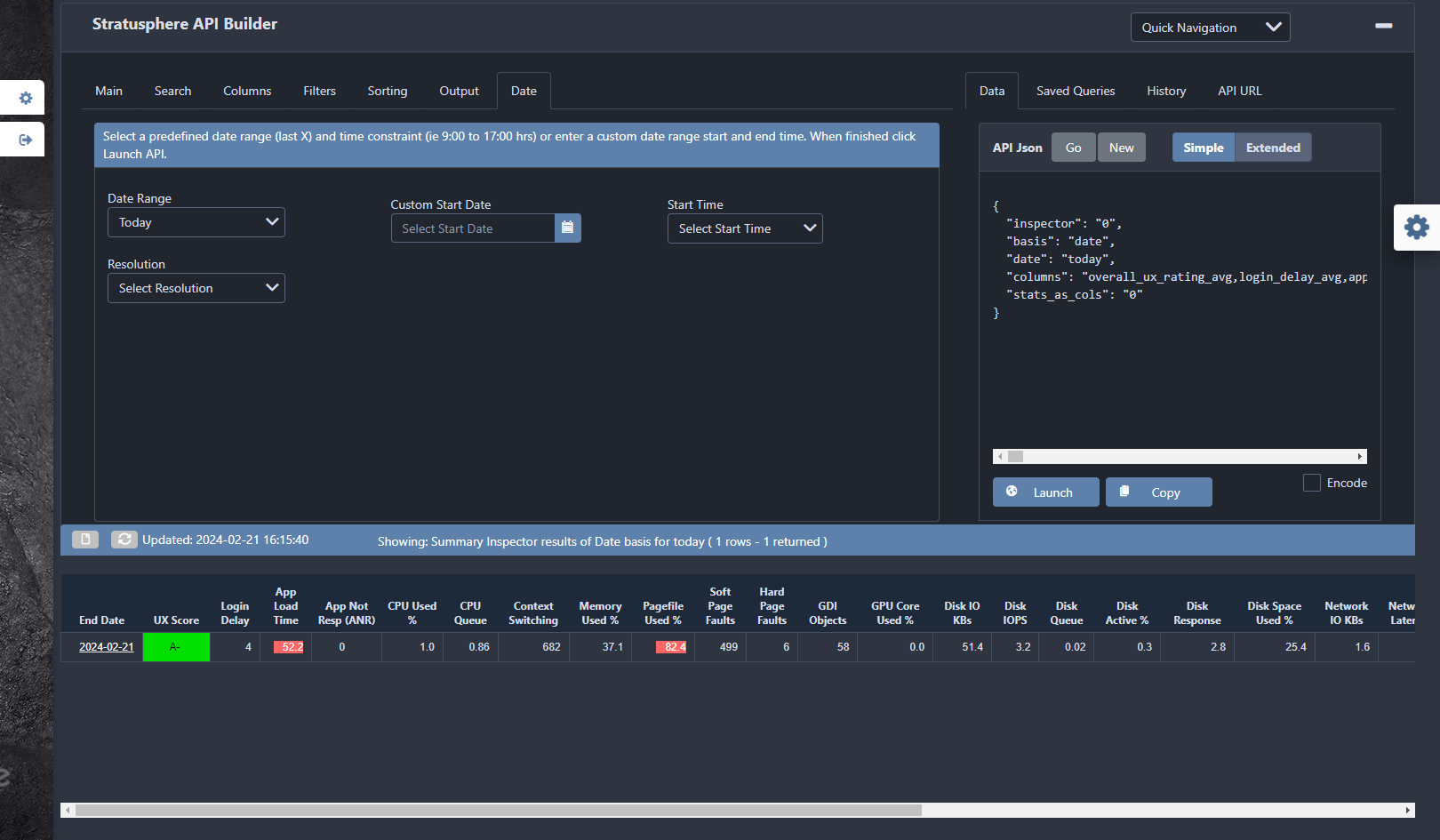
The first thing you should do on the Main tab is set your Inspector. This focuses the API query on exactly the type of data you want to extract. Then you can select one or more options from the Summary Inspector Lookup Basis list. This application-related data will be summarized and grouped by the basis.
The Preview Pane at the bottom of the API Builder interface shows the data for the API query you are building. The initial Preview Pane contains the default columns for the selected Inspector. However, the Preview Pane updates in real-time, displaying changes as you make them.
Use the Search, Columns, and Date tabs to further customize your query.
The right side of the API Builder displays the JSON query and full API URL that your selections built. This can be copied and used in your preferred tool to extract your Stratusphere data.
Click the  (Gear) icon on the right side of the screen to change your configuration settings.
API Builder 2.0 allows you to do the following:
- Save queries
- Pin saved queries to the Favorites list in the left navigation menu
- Go back to a prior state using the History tab
- Move between Inspectors while retaining selections
- Start faster on subsequent sessions using the stored cache of Inspector basis and columns
- Open queries from someone else via the Import Query button on the Saved Queries tab or by using the API URL tab
- Search Inspectors for ones containing a specific Basis or Metric
- Access filtering functionality at the top of the Basis and Column controls
- Find related columns and matching inspector tables using Column Groups on the Columns tab.
- Click the New button on the Data tab to start a new query.
- Click the Extended button on the Data tab to access more JSON options that you might want to set later
- Click the Copy button button on the Data and API URL tabs to copy the URL to the clipboard
- Click the Launch button on the Data and API URL tabs to pass SSID so no credentials are re-requested
- Click the Filter tab to view basis and selected columns. Basis filters can be further filtered using like and not like operators.
- Click the Search tab to access the Skip Column option for ID basis columns
- Enable the Dark Mode option for the user interface.