Here are a few of the key concepts to keep in mind while utilizing the Stratusphere API. However, this is not a comprehensive list. Refer to the online API documentation for more options, examples, and current updates.
Inspectors
Inspectors are the starting point for building all API queries in Stratusphere. The Stratusphere Inspectors contain over 300 fields and many types of objects such as Applications, Hosts, Machines, Users, Network, Datastore, etc. Inspectors have been created to structure and simplify the data query process. Consider an inspector as a preset query associated with a number of tables in the database. Inspectors are designed to focus on a specific component in the VDI environment. For example, the Network Inspector will include all the fields related to network traffic: Latency, Ports, Dropped Connections, etc.
The main and most used inspector is the Summary Inspector, or Inspector 0. It includes bases for Machine, Users, Dates, and Groups.
Some bases, like Date or Machine, can be found in multiple inspectors. For example, if you want to see the list of processes, and the resources used by User, you would select the Application Inspector and add Users and Processes to the bases.
Refer to the Inspector section of the API main page for a detailed description of each inspector.
Data Types
In Stratusphere queries there are two types of data: bases and metrics.
The basis is the object or main component that provides the structure for grouping the data: Machine, User, Host, Application, Groups, Network Port, Date, etc. A query MUST have at least one basis, but it can also have multiple bases.
Metrics are measurements associated with the objects: CPU Usage, Memory, Uptime, Login Time, etc. Most of the metrics are environmental information captured by Stratusphere. However, a few metrics are calculated values such as User Count, VDI UX, Ranking, etc.
Metrics Available
One of the main benefits of the Stratusphere API is to give flexible, open access to the data without requiring knowledge of SQL or even a database schema. However, users still need to know what data is available to create queries.
Adding the setting “table_id”:”0” to an API query will return ALL fields available for the specific query.
Note: The fields available depend on both the inspector AND basis that are selected in the query. For example, the Summary Inspector with a User basis will return different fields than the same inspector with a Machine basis.
Tip: The Preview tab in the Stratusphere Web client uses the API engine, too. So, familiarizing yourself with the web client will help you when making API queries and vice versa.
Time
All captured metrics in Stratusphere are time stamped, so time will be a factor in EVERY query made and will impact the results. If no date is specified, the API will use yesterday as the default.
Output Format
By default, data is returned in a JSON format but can be changed to CSV or HTML formats.
Error/Ignore
If the syntax of an API request is incorrect, the API will return an error message. However, if a value is incorrect, the API will simply ignore it.
Example 1
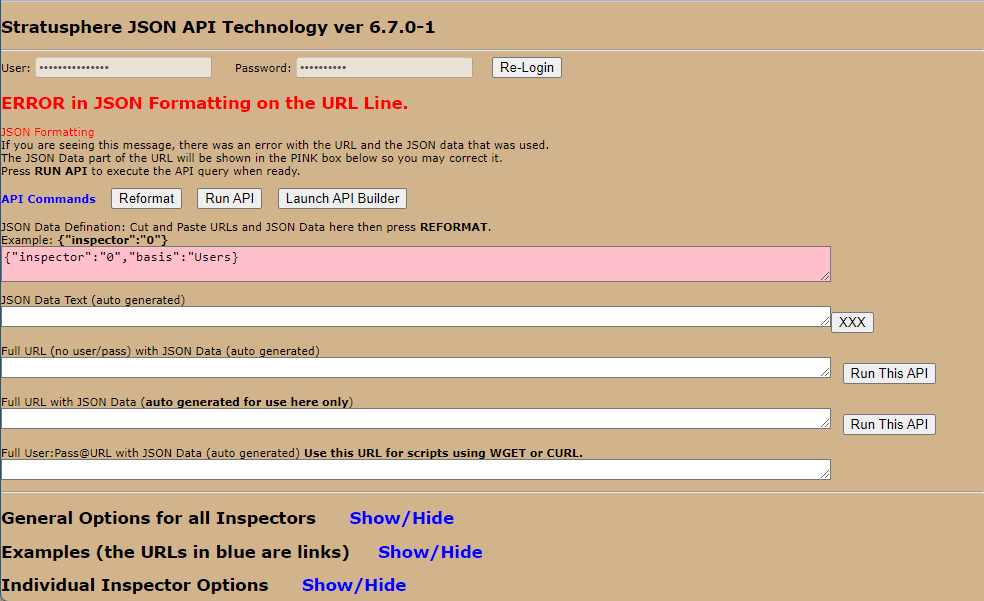
The quote (“) after Users is missing, so the API returns an error.
Example 2
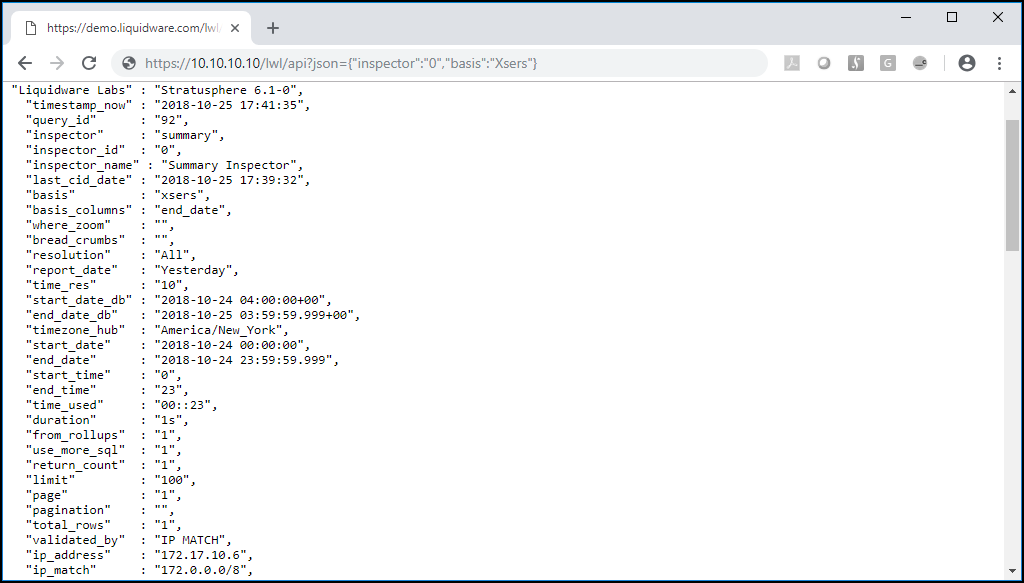
Users is misspelled as Xsers, so the API ignores the basis setting and uses the default (end_date) instead.