Whether your ProfileUnity GPO was set up manually using the prior section or your environment configuration was automated by the Guided Configuration Wizard, there is a particular setting that is helpful in maintaining high availability. ProfileUnity supports Secondary Paths, which allows for one or more specified paths to act as a failover when the primary path becomes unavailable. This feature currently supports local network (UNC) and cloud-based paths for your configuration files (including INI configurations, ClientSettings.xml, and more), FlexApp packages, and Portability files.
-
To enable Secondary Paths for INI configurations, ClientSettings.xml and LwL.ProfileUnity.Client.Service.exe.creds, refer to Configuring and Enabling Computer ADM Template Settings and Configuring and Enabling User ADM Template Settings in the Manually Preparing Your Environment to Use the ProfileUnity Client section in this guide.
-
To enable Secondary Paths for FlexApp and Portability, from the ProfileUnity Console Configuration Management screen, Edit an existing configuration and select the Main Module. Find and fill in the FlexApp & Portability Secondary Paths field.
After Secondary Paths are enabled, you can enter paths with rules based on the following examples, keeping these three syntactic rules in mind:
- The greater than symbol (>) follows the primary path and signals the shift between the primary and secondary paths.
- A comma (,) separates secondary paths, if multiple secondary paths are given.
- A vertical bar or pipe (|) separates rules if multiple rules are configured.
Example 1: Basic Failover with Single Secondary Path
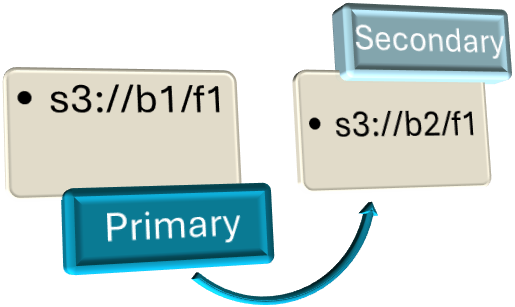
s3://b1/f1 > s3://b2/f1
- The s3://b1/f1 (bucket1, folder1) is an Amazon S3 cloud path set as the primary path and what ProfileUnity would be configured to use.
- The s3://b2/f1 (bucket2, folder1) is also an Amazon S3 cloud path that is set as the secondary path. This path is using a different bucket, which ProfileUnity will failover to only if the primary path is unavailable.
Example 2: Failover with Multiple Secondary Paths
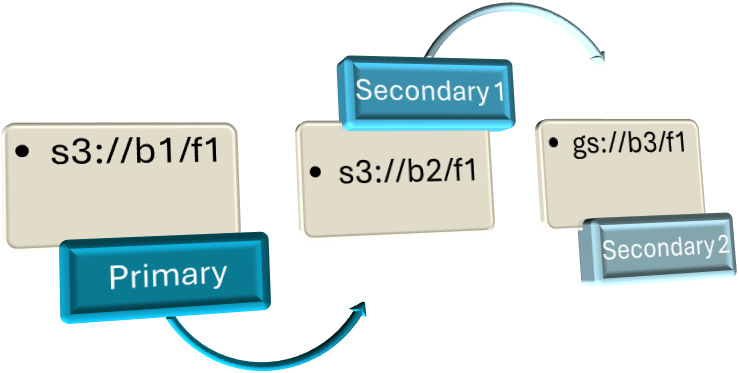
s3://b1/f1 > s3://b2/f1, gs://b3/f1
- The s3://b1/f1 (bucket1, folder1) is an Amazon S3 cloud path set as the primary path and what ProfileUnity would be configured to use.
- The s3://b2/f1 (bucket2, folder1) is also an Amazon S3 cloud path that is set as the first secondary path. This path is using a different bucket, which ProfileUnity will first try to failover to if the primary path is unavailable.
- The gs://b3/f1 (bucket3, folder1) is a Google Cloud path that is set as the next secondary path. This path would be tried if both the primary and first secondary path are unavailable.
Example 3: Failover with Multiple Secondary Paths, Multiple Rules
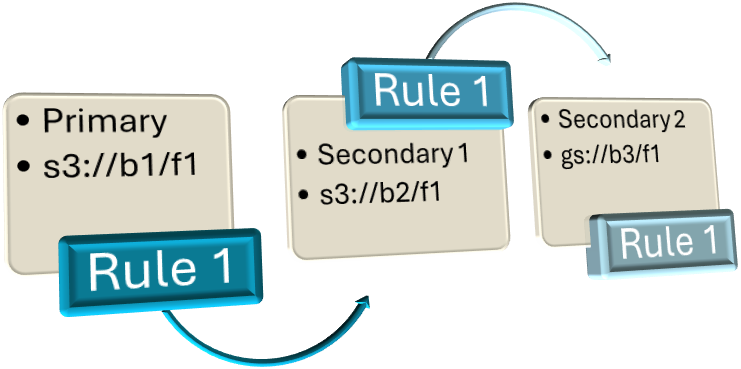
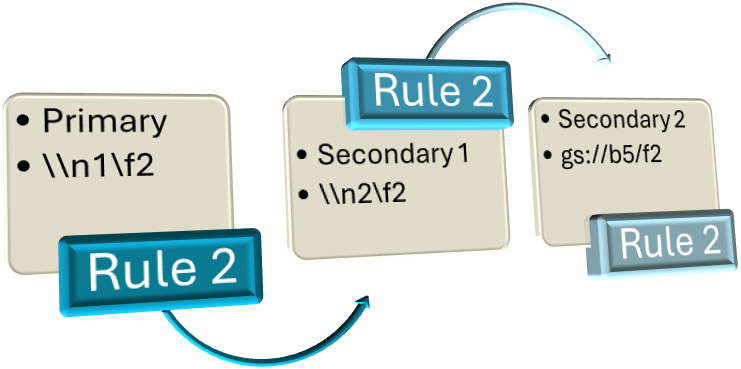
s3://b1/f1 > s3://b2/f1, gs://b3/f1 | \\n1\f2 > \\n2\f2, gs://b5/f2
There are two rules present in this example separated by the vertical bar (|) symbol. Rules are processed in the order in which they are entered.
For Rule 1:
-
The s3://b1/f1 (bucket1, folder1) is an Amazon S3 cloud path set as the primary path and what ProfileUnity would be configured to use.
-
The s3://b2/f1 (bucket2, folder1) is also an Amazon S3 cloud path that is set as the first secondary path. This path is using a different bucket, which ProfileUnity will first try to failover to if the primary path is unavailable.
-
The gs://b3/f1 (bucket3, folder1) is a Google Cloud path that is set as the next secondary path. This path would be tried if both the primary and first secondary path are unavailable.
For Rule 2:
-
The \\n1\f2 (network path 1, folder2) is a UNC path set as the primary path and what ProfileUnity would be configured to use.
-
The \\n2\f2 (network path 2, folder2) is also a UNC path that is set as the first secondary path. ProfileUnity will first try to failover to this location if the primary path is unavailable.
-
The gs://b5/f2 (bucket5, folder2) is a Google Cloud path that is set as the next secondary path. This path would be tried if both the primary and first secondary path are unavailable.
Note: These rules are universal so whether the primary path is configured in ProfileUnity for configuration files, FlexApp packages, or Portability files, it will be applied to all. Also note that while the examples given only show a maximum of two secondary paths per rule, there are no limits on how many can be added.
Example 4: Basic Failover for Azure Blob Object Replication
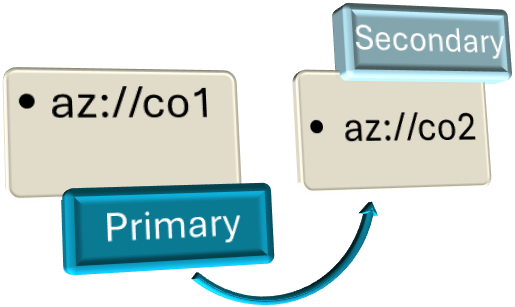
az://co1 > az://co2
- When setting up Azure Blob Object Replication you will name the destination container something different than the source.
- A SAS URL will need to be generated for the new container and combined with the Azure creds similar to how the Azure Credentials GPO setting was populated except you will populate the Secondary Azure Credentials.


