This module allows you to install IP printers onto a local computer. It handles opening specific ports and installing drivers on the local computer for each printer. Filters are frequently used with the IP Printers module to manage printer assignments. Filters provide a wide-array of context-aware environment and security options. In a mobile environment, assigning printers can be based on the location of the desktop so that users are only assigned printers they can reasonably access. Printer access can also be restricted, for example, to certain users authorized to use special watermark paper on specific printers for deliverables such as checks, official transcripts, or prescriptions.
Choose whether to add a printer manually or browse a local CSV file to select multiple IP printers to be added at one time.
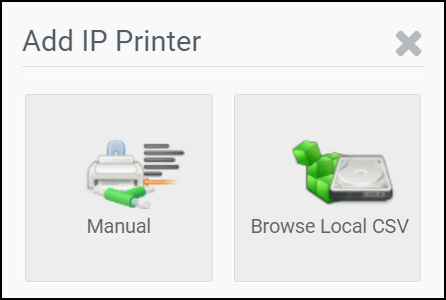
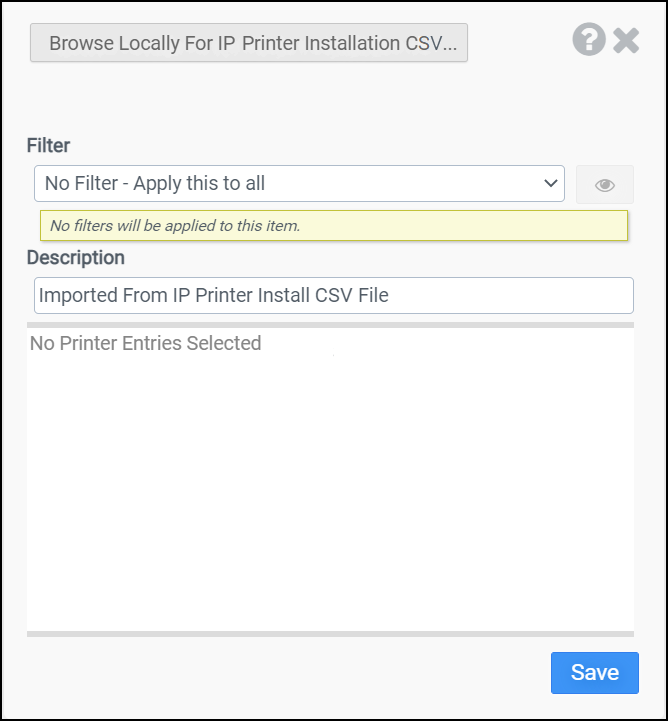
Select Browse Local CSV to open a screen that allows you to navigate to a CSV file containing one or more IP printer configurations.
Click the Browse Locally For IP Printer Installation CSV button to find the local CSV you want to upload.
Or click the Manual button to set up a new IP printer manually.
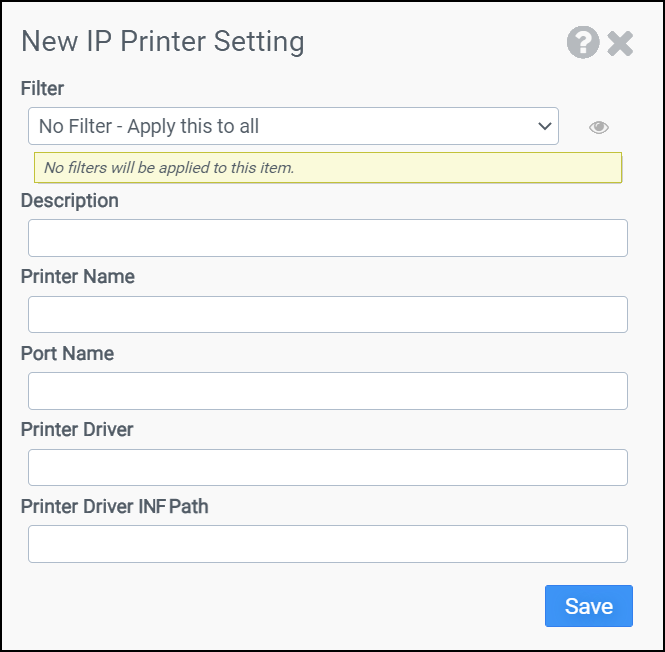
Filter
Select the name of the filter you want assigned to this configuration element. Click the Show Filter Details button on the right to review any filter settings without leaving Configuration Management.
Description
Enter a description for this rule.
Printer Name
Enter a name for the new IP printer.
Port Name
Enter the IP or FQDN of the target printer.
Printer Driver
Enter the name of the driver for the target printer. This must match an entry in the printer driver's INF file.
Printer Driver INF Path
Enter the path to the printer driver INF file that will be installed.
Example 1:
This example will open port 10.1.1.12, if not already open, on a client. This example will also install printer drivers HP Universal Printing PCL 6 as described in INF file found at C:\Drivers\hpcu250u.inf and name the printer HP Universal #1.
-
Printer Name: HP Universal #1
-
Port Name: 10.1.1.12
-
Printer Driver: HP Universal Printing PCL 6
-
Printer Driver INF Path: C:\Drivers\hpcu250u.inf
Example 2:
This example demonstrates how to use a CSV file to install multiple printers at one time.
Line 1 of the CSV file will open port 10.1.1.12, if not already open, on a client. This example will also install printer drivers, if already present on the client, for Printer1, and name the printer Printer1. Printer1 will not be installed if the client OS does not have the correct drivers installed on the machine.
Line 2 of the CSV file will open port 10.1.1.13, if not already open on a client, install printer drivers described in the C:\Drivers\hpcu250u.inf file, then install and name the printer Printer2.
Line 3 of the CSV file will open port 10.1.1.14, if not already open on a client, install and printer drivers described in the INF files found in the C:\Drivers\ folder on the client, then install and name the printer Printer3.
Browse to:
-
PrinterDriverCsvPath: C:\Printers\PrinterInstallationsCsv.csv
-
Inside PrinterInstallationsCsv.csv:
PrinterName,PortName,PrinterDriver,PrinterDriverInfPath
Printer1,10.1.1.12,HP Universal Printing PCL
Printer2,10.1.1.13,HP Universal Printing PCL 6,C:\Drivers\hpcu250u.inf
Printer3,10.1.1.14,HP Universal Printing PCL 6,C:\Drivers\


